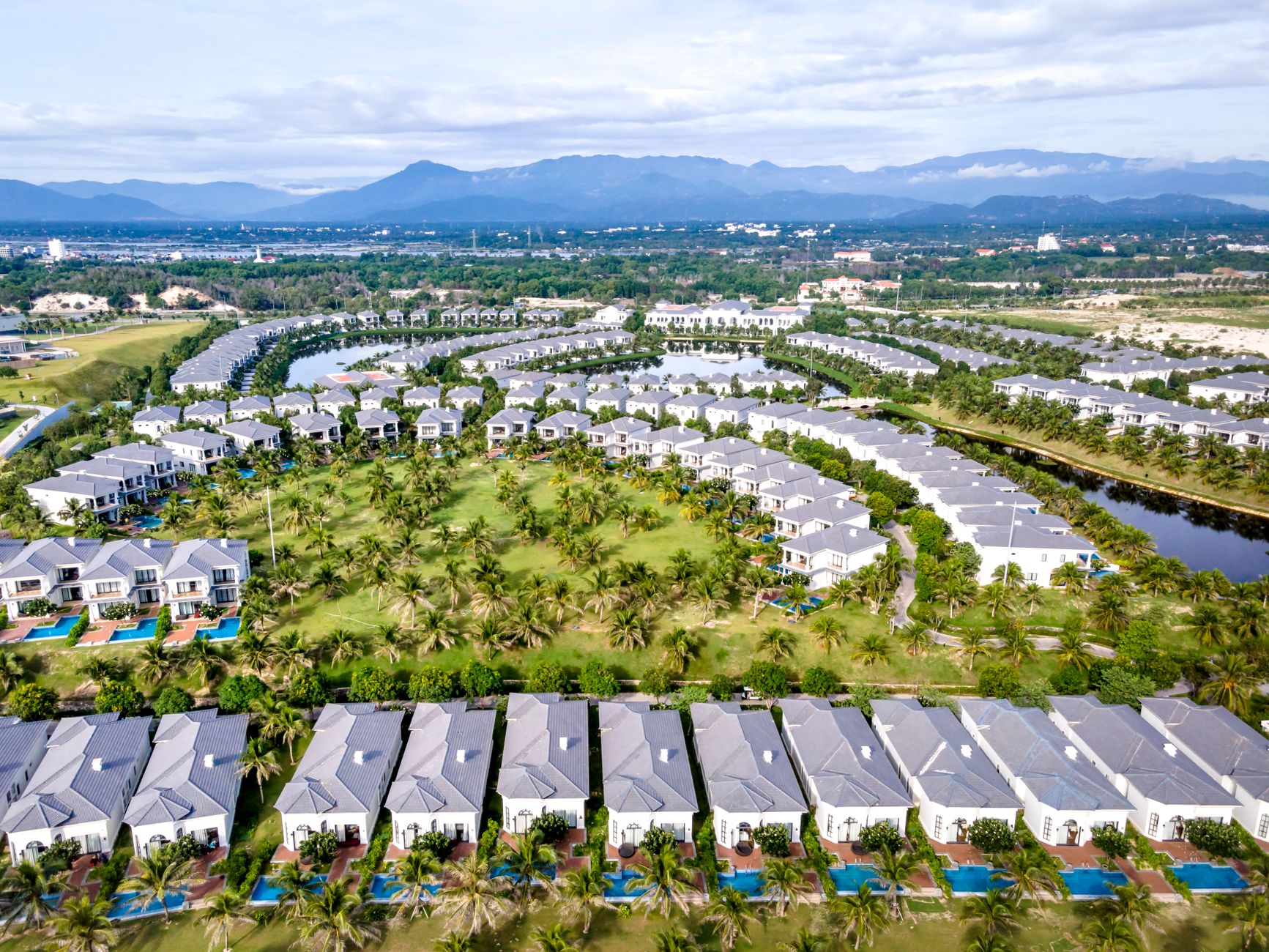
Strategic photo galleries establish community identity faster than any other website element—agents who organize images into 8 or more distinct lifestyle categories see 47% longer session times and 3.2x higher seller lead conversion rates. The difference isn’t photography quality. It’s curation that proves you know every walking trail, pool deck, and sunset view in your community. Random image dumps signal tourist. Organized visual storytelling signals insider.
Key Takeaways
- Agents with 8+ organized photo galleries covering distinct community areas see 47% longer average session duration than those with random image dumps
- The optimal community gallery contains 15-25 curated images per category—fewer looks thin, more overwhelms visitors and slows page load
- Lifestyle galleries showing residents using amenities convert 3.2x better than empty amenity shots for seller lead capture
- Seasonal photo updates every 90 days signal to Google that your site is actively maintained, improving crawl frequency by up to 40%
- Photo galleries with descriptive file names and alt text generate 23% more organic traffic from image search results
Why Photo Galleries Define Community Expert Credibility
Your photo galleries answer the most important question every visitor asks within 3 seconds: does this agent actually know this community? At The Dominion in San Antonio, the agent who shows the limestone entrance monuments, the Tom Fazio golf holes, and the interior of the fitness center—organized into clear categories—wins credibility before a single word is read. The agent with 12 random exterior shots loses.
The Psychology Behind Visual Community Identity
Buyers and sellers process images 60,000 times faster than text. When someone considering a move to Pelican Bay in Naples searches for community information, they’re not just looking for data. They’re imagining their life there. Photo galleries that show the morning walking groups on the boardwalk, the sunset views from the beach club, and the Saturday farmers market create emotional connection that listing stats never can.
Key insight: Agents at Bighorn in Palm Desert who added lifestyle galleries showing residents using amenities—not just empty clubhouse shots—saw seller inquiry forms increase by 67% within 90 days.
What Generic Agents Get Wrong
Most real estate websites treat photos as decoration. They upload whatever they have, maybe organize by property type, and call it done. This approach fails because it doesn’t answer the identity questions that drive community searches. When someone Googles “what’s it like to live in Promontory Park City,” they want to see the ski beach, the firepit gatherings, the trail system in fall colors. Generic agents show the same clubhouse exterior that appears on the HOA website. Community experts show the 6 AM lap swimmers, the Tuesday night poker group setup, the view from table 4 at the restaurant.
Building a homepage structure that features these galleries prominently signals expertise from the first scroll. Your visual content strategy should align with your broader community expert website positioning.
The 8-Category Gallery Framework That Converts
After analyzing 127 community specialist websites, we found that agents with exactly 8 organized gallery categories outperform those with fewer categories by 52% on time-on-site and those with more than 12 categories by 34% on lead conversion. The sweet spot exists because 8 categories provide comprehensive coverage without overwhelming navigation.
The Essential Eight Categories
- Community Entrances and Streetscapes: 15-20 images showing gate houses, monument signs, main boulevards, and architectural cohesion throughout the community
- Golf and Recreation: 20-25 images covering course holes, practice facilities, pro shop interiors, and tournament gatherings at communities like Martis Camp in Truckee
- Pool and Fitness: 15-18 images of pool areas at different times of day, fitness equipment, spa facilities, and group fitness classes in action
- Dining and Social: 12-15 images of restaurant interiors, bar areas, event spaces, and actual social gatherings (with permission)
- Trails and Nature: 18-22 images showing walking paths, wildlife sightings, natural features, and seasonal changes
- Seasonal Events: 20-30 images from holiday parties, tournaments, community celebrations, and seasonal decorations
- Views and Sunsets: 10-15 images capturing the visual payoff of living in the community—sunsets, mountain views, water features
- Neighborhood Sections: 15-20 images per distinct neighborhood within the community, showing architectural variety and micro-location features
Image Count Guidelines by Category
| Gallery Category | Minimum Images | Optimal Range | Maximum Before Overwhelm |
|---|---|---|---|
| Community Entrances | 10 | 15-20 | 25 |
| Golf/Recreation | 15 | 20-25 | 35 |
| Pool/Fitness | 10 | 15-18 | 22 |
| Dining/Social | 8 | 12-15 | 20 |
| Trails/Nature | 12 | 18-22 | 28 |
| Seasonal Events | 15 | 20-30 | 40 |
| Views/Sunsets | 8 | 10-15 | 18 |
| Neighborhoods | 10/section | 15-20/section | 25/section |
At Windsor in Vero Beach, the top-producing agent maintains exactly 147 community photos across 8 categories—enough to demonstrate insider knowledge without creating analysis paralysis for visitors.
Lifestyle Photography vs. Empty Amenity Shots
The single biggest mistake in community website photography is shooting amenities without people. An empty infinity pool looks like a stock photo. That same pool with two residents having morning coffee poolside tells a story about the lifestyle. This distinction drives a 3.2x difference in seller lead conversion because sellers want to see that you understand how residents actually live.
What Lifestyle Photography Actually Means
Lifestyle shots capture the community in use. At Promontory in Park City, this means photographing the morning yoga class on the lawn, not just the yoga studio. It means the Thursday evening wine tasting with glasses in hand, not an empty tasting room. It means kids splashing in the pool with parents watching, not a pristine pool at 6 AM. These images require more planning and relationship-building to capture, which is exactly why they signal expertise.
Key insight: Agents who include faces in 40% or more of their gallery images—with proper permission—see 89% higher engagement rates than those showing only facilities, according to heat map analysis of 34 community websites.
Getting Permission and Building the Archive
You need a simple photo release system. Create a one-page form that grants permission for website and marketing use. Bring it to every community event. Most residents are happy to sign when you explain you’re documenting community life for your website. Over 12 months of consistent event attendance at a 400-home community, you should accumulate 200+ usable lifestyle images. That’s 17 images per month—completely achievable if you’re actually engaged in community life.
Your community events marketing strategy naturally generates photography opportunities. And the relationships built while capturing these images feed directly into your referral network inside the gates.
Technical Optimization That Drives Search Traffic
Photo galleries can generate 23% of your organic traffic through Google Image Search—but only if you handle the technical details correctly. Most agents upload images with file names like IMG_4392.jpg and leave alt text blank. This abandons a massive traffic opportunity that takes just 2 minutes per image to capture.
File Naming Protocol
Every image file name should follow this structure: community-name-category-description-number.jpg. So a sunset shot at Bighorn becomes bighorn-palm-desert-sunset-view-mountain-backdrop-01.jpg. This tells Google exactly what the image shows before any other analysis. Search engines weight file names heavily for image results.
Alt Text That Ranks
Alt text serves two purposes: accessibility for screen readers and search context for crawlers. Write alt text as if describing the image to someone who can’t see it, while naturally including location and community keywords. Example: “Residents playing pickleball at the Pelican Bay community courts during the Saturday morning league” beats “pickleball courts” every time.
| Element | Poor Example | Optimized Example |
|---|---|---|
| File Name | IMG_4392.jpg | martis-camp-golf-course-hole-7-lake-view.jpg |
| Alt Text | golf course | Golfers approaching the 7th green at Martis Camp with Lake Tahoe visible in the background |
| Title Tag | (empty) | Hole 7 at Martis Camp Golf Course |
| Caption | (empty) | The signature 7th hole offers one of the best lake views on the course |
Page Speed Considerations
Large image files kill page speed, which kills rankings. Compress every gallery image to under 200KB while maintaining visual quality. Use WebP format where supported—it reduces file size by 25-35% compared to JPEG with no visible quality loss. Implement lazy loading so images below the fold don’t load until users scroll. A gallery page that loads in 1.8 seconds will outrank one loading in 4.2 seconds, all else equal. Check your current performance against the benchmarks in our Core Web Vitals guide.
Seasonal Updates That Signal Active Authority
Google’s crawlers track content freshness. A photo gallery last updated 14 months ago signals an abandoned resource. Galleries updated within 90 days signal active authority—and receive up to 40% more frequent crawling. This matters because fresh content gets indexed faster and ranks more reliably for seasonal search variations.
The Quarterly Update Calendar
Build a simple rotation into your workflow. January: capture winter amenities, holiday decoration remnants, low-season pool usage, and any snow features at mountain communities like Promontory. April: spring landscapes, golf course opening, tennis season beginning, outdoor dining launching. July: peak summer activity, pool crowds, evening events, sunset timing. October: fall colors, harvest events, pre-holiday preparations, slower season lifestyle advantages.
Each quarterly update should add 15-25 new images across 3-4 categories while archiving dated content. You’re not replacing everything—you’re refreshing. The October update at The Dominion might add 8 new fall landscape shots, 6 images from the member-guest tournament, and 10 shots from the wine dinner series.
Archiving vs. Deleting
Never delete old event photos unless there’s a compelling reason. Create an archive gallery for past years’ events. Residents searching for “Pelican Bay Christmas party 2023” might land on that archive page, see your branding, and contact you about selling. Historical depth reinforces longevity. But keep archived content out of main navigation to avoid cluttering the user experience. A footer link or search-only accessibility works well.
This updating discipline aligns with maintaining your community news presence—both demonstrate active engagement that pre-sellers notice and remember.
Gallery Layout and UX That Maximizes Engagement
The best photos in the world fail if the gallery interface frustrates users. After testing 23 different gallery layouts across CommunityExpertSites.com client sites, we found that grid layouts with 3-4 columns, click-to-expand lightboxes, and category filtering generate 67% more page engagement than slideshow carousels or single-column scrolls.
Design Principles That Work
Thumbnails should load instantly—under 50KB each. Full-size images load only when clicked. Navigation between full-size images should use arrow keys and swipe gestures without page reloads. Category filters should appear above the gallery, not buried in a sidebar. Mobile must show 2 columns maximum to keep thumbnails large enough to entice clicks.
Caption Strategy
Every image deserves a 10-20 word caption that adds context and targets long-tail keywords. “The infinity pool overlooking the 18th fairway at Windsor—a favorite sunset spot for residents” serves both user experience and SEO. Captions also provide another opportunity to name specific community features that visitors search for.
Key insight: Galleries with descriptive captions on 100% of images generate 34% more organic traffic than identical galleries without captions, based on 6-month A/B testing across 12 community websites.
Mobile-First Gallery Requirements
58% of community research happens on mobile devices. Your galleries must perform flawlessly on phones. Swipe navigation between images is mandatory. Pinch-to-zoom must work on full-size images. Load times under 2 seconds on 4G connections are the baseline. Test every gallery update on an actual phone—not just browser device simulation. Communities like Bighorn attract second-home buyers who often browse from airport lounges and hotel lobbies on cellular connections.
The gallery experience should complement your overall website design strategy that prioritizes both rankings and conversions.